
What We Convert
From legacy drawings to intelligent P&IDs
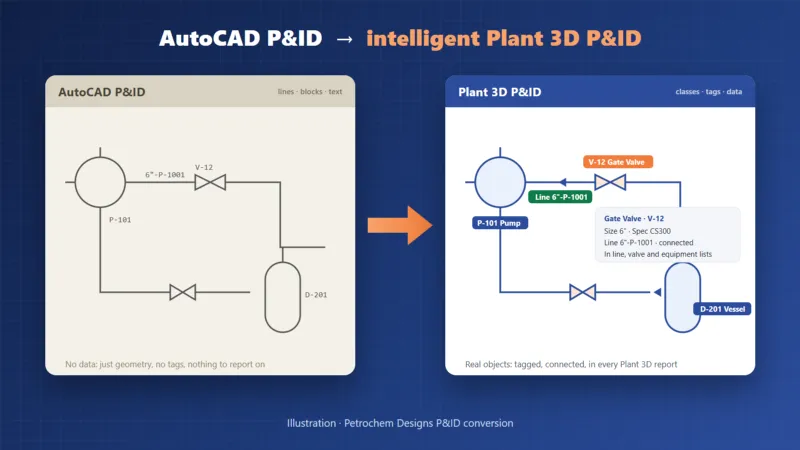
We take P&IDs in whatever state they are and deliver them as working AutoCAD Plant 3D drawings in your project.
- AutoCAD P&IDs made of lines, blocks and attributes
- Scanned or PDF-only P&IDs — redrawn and made intelligent
- Client symbol legends mapped to Plant 3D classes and styles
- Tags read from block attributes and text (equipment, valves, instruments, lines)
- Title blocks and notes kept on the converted sheets
Real Result
Same drawing — now intelligent
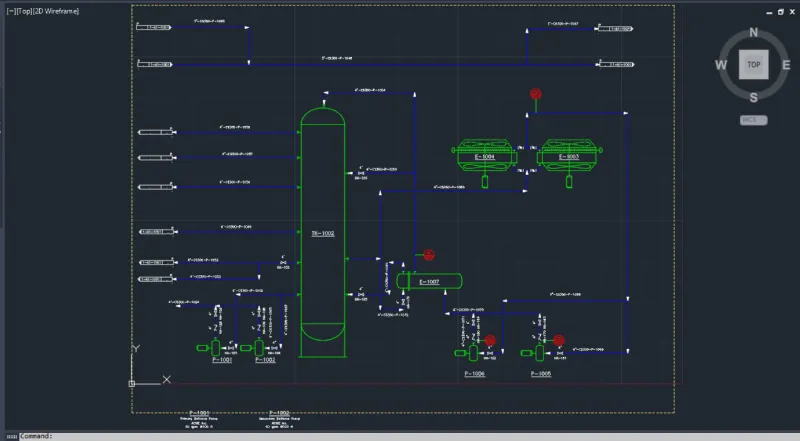
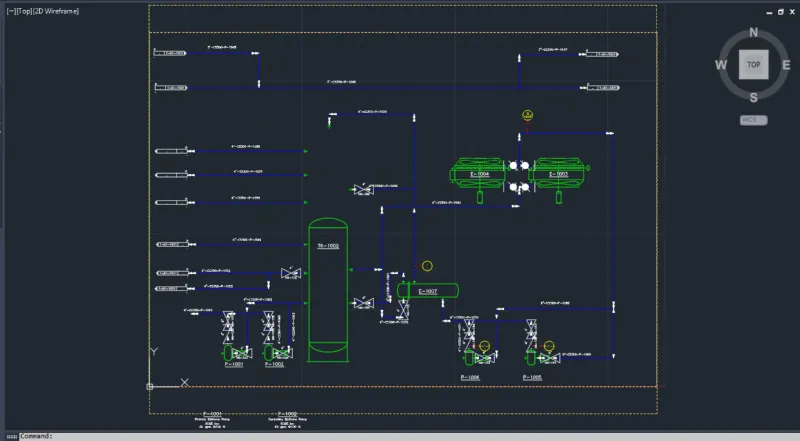
This is a real conversion with our tool: a plain AutoCAD P&ID (an Autodesk sample sheet exported to plain AutoCAD) converted back into an intelligent Plant 3D P&ID in under a minute.
- 76 pipe and signal line runs created as Plant 3D lines
- 31 pumps, vessels, exchangers, valves and instruments as Plant 3D symbols
- 27 tags taken from the labels next to the symbols (P-1001, TK-1002, HA-178 …)
- Instrument type and loop numbers read from block attributes
- Title block, notes and labels kept on the sheet
- 0 errors — duplicate tags in the project are reported, never overwritten
How It Works
Mapped once, converted consistently
A clear process keeps large drawing sets consistent and checkable.
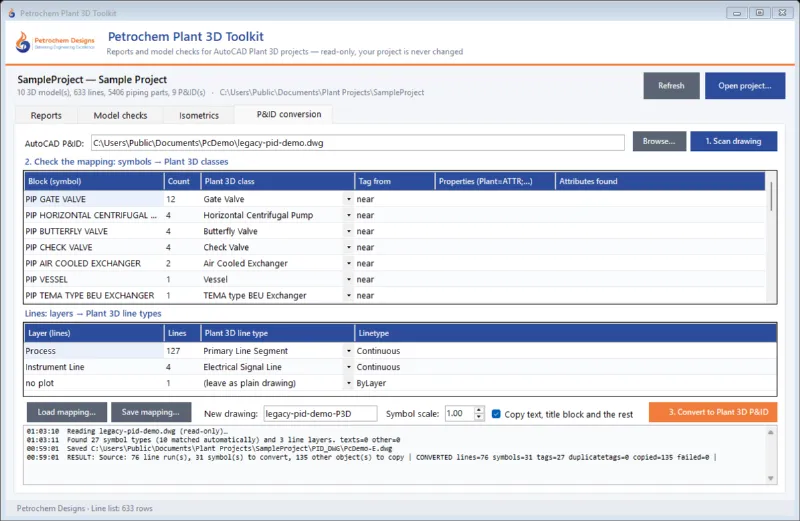
- Survey — we scan your drawings and list every symbol and line type used
- Mapping — each symbol and layer is matched to a Plant 3D class and style, agreed with you
- Conversion — lines, symbols and tags are created as Plant 3D objects in your project
- Engineer check — every sheet compared with the source; tags and connections verified
- Delivery — Plant 3D P&IDs plus line, valve, equipment and instrument lists
What You Get
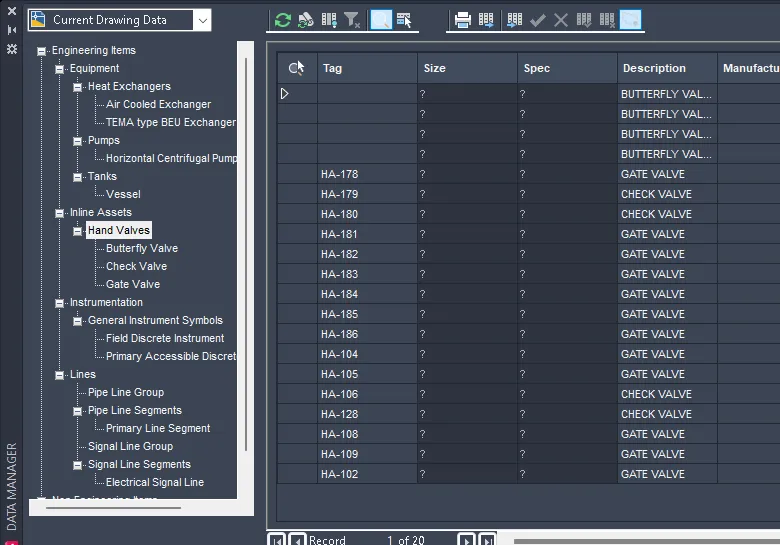
P&IDs that work for the whole project
Once the P&IDs are intelligent, the rest of the project can use them directly.
- Line, valve, equipment and instrument lists from the P&ID database
- P&ID ↔ 3D consistency checks while the 3D model is built
- A clean starting point for revamps, HAZOP mark-ups and as-builts
- Drawings ready for your Plant 3D project and its standards
Reports
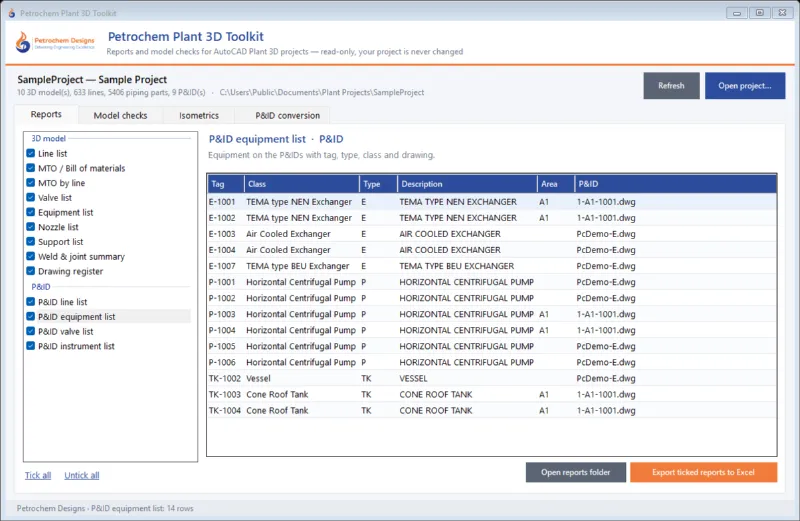
Straight into your project lists
Because every symbol is a real Plant 3D object, the converted sheet feeds the project database at once.
- P&ID equipment, valve, instrument and line lists
- Excel exports with our Plant 3D Toolkit
- P&ID ↔ 3D model consistency checks
Let's Start
Ready to start your next project?
Share your requirements and our engineering team will come back with a tailored proposal.
- ISO 9001:2015 Certified
- Offices in USA & India
- Codes & Standards Compliant